
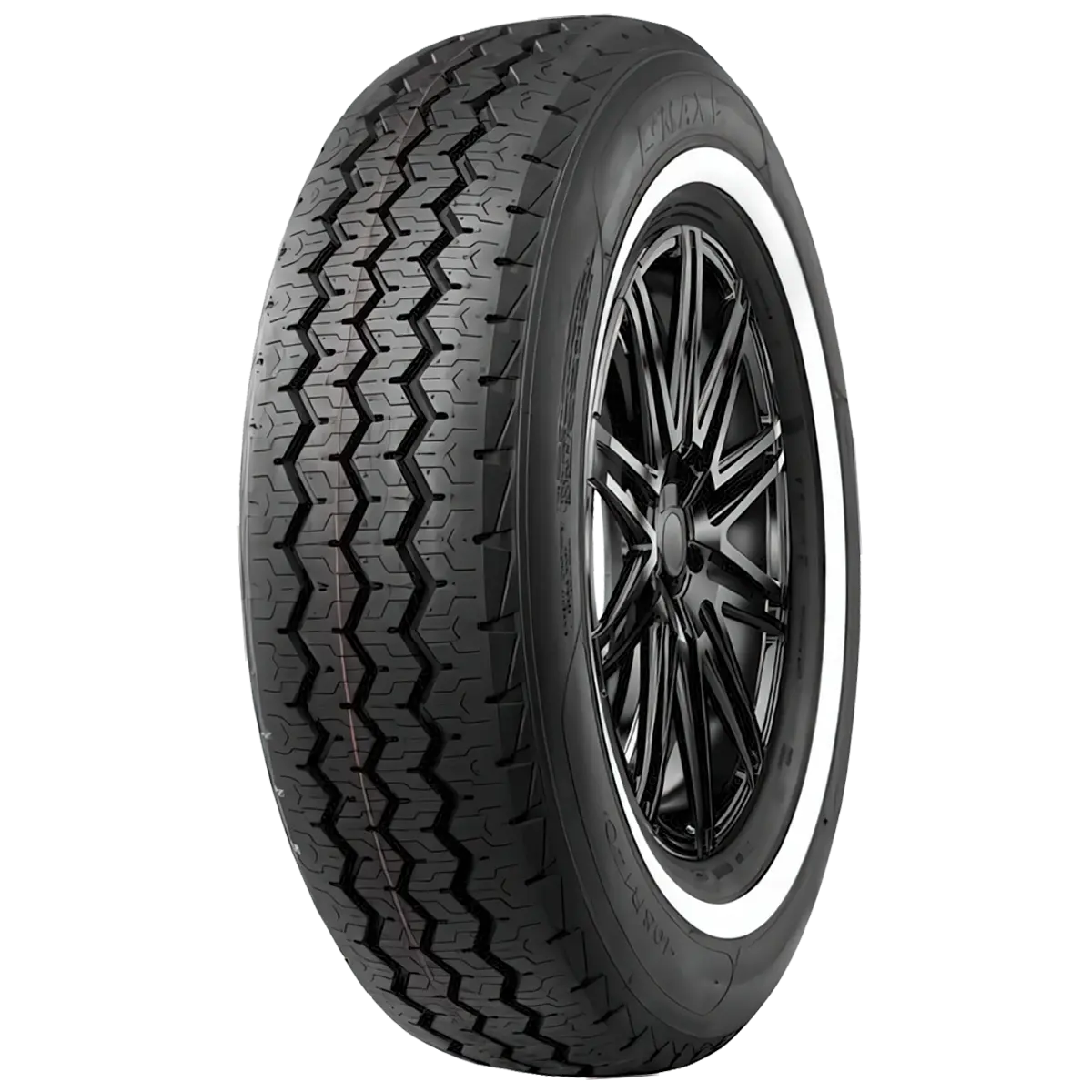
L-MAX9
Commercial pattern with siped Z-shaped blocks, double-Y tread elements and zigzag grooves.
Compare L-MAX9 specifications →
Before ordering tyres for a commercial van, confirm the complete required specification rather than matching only the size’s first three numbers or the wheel diameter. Gather the vehicle’s tyre requirements and the exact information listed for the proposed tyre, then resolve any differences with a qualified tyre professional.
Copy the full size string, including any relevant letters or construction markings. Where the vehicle requires a particular commercial or light-truck specification, do not omit that detail from the supplier enquiry. A similar-looking size is not evidence that the same product is suitable.
The current Grenlander commercial range contains several model pages with HTML specification tables. Examples include L-MAX9, L-POWER28 and MULTIWAYS 52. Check the exact row for the intended order.
Record the required load index and speed rating alongside the size. Where the listing shows single and dual load values or a ply-rating marking, preserve those details in your request. Do not assume that two rows with the same nominal size carry the same ratings.
The existing Passenger vs LT Tyres guide discusses the broader distinction between tyre types. This checklist focuses on the information a buyer should verify for a specific commercial-van order.
These examples show which fields a buyer should carry into an enquiry. They are different specifications, not substitutes for each other or fitment recommendations.
| Field | L-MAX9 example | MULTIWAYS 52 example |
|---|---|---|
| Complete size | 185R14C | 7.00R16LT |
| Load/speed | 102/100R | 115/110N |
| Ply rating | 8PR | 12PR |
| Listed rim | 5 1/2J | 5.50F |
| Selected sidewall | BSW | BSW |
Source: the website’s Grenlander catalogue records, imported 7 August 2026 and checked on 21 September 2026. See the L-MAX9 specification table and MULTIWAYS 52 specification table. Australian supply requires separate confirmation.
Retain C or LT in the complete size, the entire paired load/speed entry and the PR field. Copy the listed rim without treating it as a complete list of approved rims. L-MAX9 also has a WSW entry for this size: ask for the required sidewall version instead of dropping that field. Do not infer a variant’s requirements from another model or another size.
For the meanings of the numbers and final letter, use the tyre load index and speed rating guide. For the purchasing record, use the blank enquiry worksheet and record any proposed alternative alongside the original request.
Tell your tyre professional how the van is used and identify any relevant load or service requirements from the vehicle documentation. This gives context for checking the proposed specification. It does not replace a load assessment, fitment check or correct operating-pressure advice.
If information is missing or inconsistent, ask the supplier before proceeding. Do not infer a rating from another size in the same model family. Similarly, a manufacturer table’s large range does not establish that every row is held locally.
For a workshop, the ordering task often passes between the person receiving the vehicle, the technician checking requirements and the person contacting the supplier. Keep their information together on the job record.
Do not approve a substitution using only the model name or nominal size. Compare the complete proposed specification with the technician’s request. If a rating, marking or application detail differs, return the line for technical confirmation and keep the approval with the job record.
This creates a clear handover: the buyer knows what to order, and the technician can see which variant was agreed. It also separates an unresolved technical choice from an ordinary price or delivery question.
Your request should identify the chosen model, full size and ratings, quantity, company contact and delivery postcode. If you are still comparing options, list the candidates and explain the requirement instead of selecting an unverified substitute.
Use How to Prepare a Wholesale Tyre Enquiry for a copyable request format, or start with Grenlander wholesale tyre enquiries. The product page’s size-row enquiry link can prefill the model and selected size.
Commercial pattern with siped Z-shaped blocks, double-Y tread elements and zigzag grooves.
Compare L-MAX9 specifications →
Commercial pattern with zigzag main grooves and reinforced construction described in the catalogue.
Compare MULTIWAYS 52 specifications →